

The WhatsApp Business API is the right fit for businesses with high message volume, several employees answering customers, or a need to automate messaging with a chatbot and other software. The WhatsApp Business app, on the other hand, is enough for small businesses that run everything from a single phone and handle a manageable number of messages. The app is free to download and ready to use right away. With the API, you work through a software platform, and Meta charges for the messages your business sends based on their category. The right choice depends on your message volume, your team structure and how much automation you need.
We covered the app's core features and pricing in detail in our guide to WhatsApp Business. In this post, we put the two options side by side.
What is the WhatsApp Business app?
The WhatsApp Business app is a free mobile app designed for small businesses. It uses the familiar WhatsApp interface, and setup takes just a few minutes. Its main capabilities include:
- Business profile: address, business hours, website and description. Product or service catalog. Greeting message, away message and quick replies. Labels for organizing chats. Linked devices and the WhatsApp Business desktop app for working from a computer.
The app's limitation is that everything depends on a person sitting in front of a screen. Greeting and away messages are simple automatic replies: they don't understand the customer's question or answer it accordingly.
Setting up automated messages in the app
Setting up greeting and away messages properly is the first step to getting the most out of the app. We walk through these settings step by step in our guide to setting up automated messages. If these settings are enough to keep up with your message volume, there's no rush to switch to the API.
What is the WhatsApp Business API?
The WhatsApp Business API, officially called the WhatsApp Business Platform by Meta, is the infrastructure that lets businesses manage WhatsApp messaging through software. It has no phone app of its own. You use it through a chatbot platform, customer service software or a system you build yourself. Meta's WhatsApp Business Platform documentation covers every technical detail, from setup to message templates.
Key business features of the API:
- Automation: A chatbot can answer incoming messages.
- Multiple users: Depending on the software you use, several employees can reply from the same number.
- Integration: It can connect to booking, ordering or customer management systems.
- Template messages: Approved templates let you send messages such as order notifications and appointment reminders.
The 24-hour customer service window
According to Meta's pricing documentation, when a user messages a business, a 24-hour customer service window opens, and every new message from the user resets that timer. While the window is open, the business can reply with free-form text. Once the window closes, only pre-approved template messages can be sent. Your chatbot flow needs to be designed around this rule.
Is the WhatsApp Business API paid?
Yes. Since July 1, 2025, Meta has charged per message for messages a business sends that are delivered. The price depends on the message category (such as marketing, utility, authentication and service replies to customer questions) and the recipient's country code. Messages users send to the business are not charged. Because Meta updates free tiers and category rules from time to time, check Meta's current pricing page for WhatsApp Business API pricing details. On top of that, the software you use may have its own separate fee.
Differences between the app and the API
Criteria | WhatsApp Business app | WhatsApp Business API |
|---|---|---|
Setup | Just download the app and verify your number | Requires a connection through software or a service provider |
Interface | Phone and linked devices | The dashboard of the software you use |
Automation | Greeting, away and quick replies | Chatbot and system integrations |
Team use | Suitable for small teams | Multi-user, depending on the software |
Messaging rules | Regular WhatsApp chat | 24-hour window and approved templates |
Cost | The app is free | Meta's per-message fee plus software fee |
Can the same number be used on both?
For a long time, moving a number to the API meant that number could no longer be used in the app. The frequently searched warning "this account can't use the WhatsApp Business app" usually stems from this situation. In its developer documentation, Meta also describes a migration method (coexistence) that lets app users connect to the platform with the same number. The eligibility requirements for this method and which software supports it may change. Before moving your number, be sure to consult your service provider and back up your chat history.
Which option should your business choose?
To decide, answer these questions honestly:
- How many messages do you get per day? If one person can comfortably answer them, the app is enough.
- Does message volume spike at certain times? If you can't keep up after a campaign or during the evening rush, you need automation.
- Do you reply outside business hours? If questions that come in at night wait until morning, a chatbot makes a difference.
- How many people reply? If several employees will use the same number, an API-based dashboard keeps things more organized.
- Do you need to connect to other systems? The need to connect to a booking or ordering system makes the API the stronger choice.
Example scenario: a hotel taking reservations
Take a boutique hotel as an example. In the off-season, the front desk easily answers incoming messages, and the app is enough. Once the season starts, though, questions about prices, availability, transfers and breakfast all arrive at once, some of them at midnight. At this point, a chatbot running on the API answers frequent questions, records reservation requests with all the details and leaves the front desk with only the job of confirming them. You can find the details of this setup in our post on WhatsApp reservation flows for hotels.
Checklist before switching to the API
Once you've decided, don't make the switch without a plan. The following preparations will prevent most of the hiccups that can come up in the first week:
- Get your business details ready: Make sure your business account and display name are correct on Meta's side.
- List your frequent questions: Pull the most repeated questions from messages received over the past few weeks. These will be your chatbot's first source of knowledge.
- Define your template needs: Write the messages you'll need to send outside the window, such as order notifications and appointment reminders, and prepare them for approval.
- Assign responsibilities: Decide who will handle conversations the bot hands off and what happens outside business hours.
- Back up your history: Back up your existing chats and, if needed, send your customers a short heads-up.
- Test: Before taking the bot live, have your team ask the most common questions and check the answers.
How to set up WhatsApp automation with Chatbu
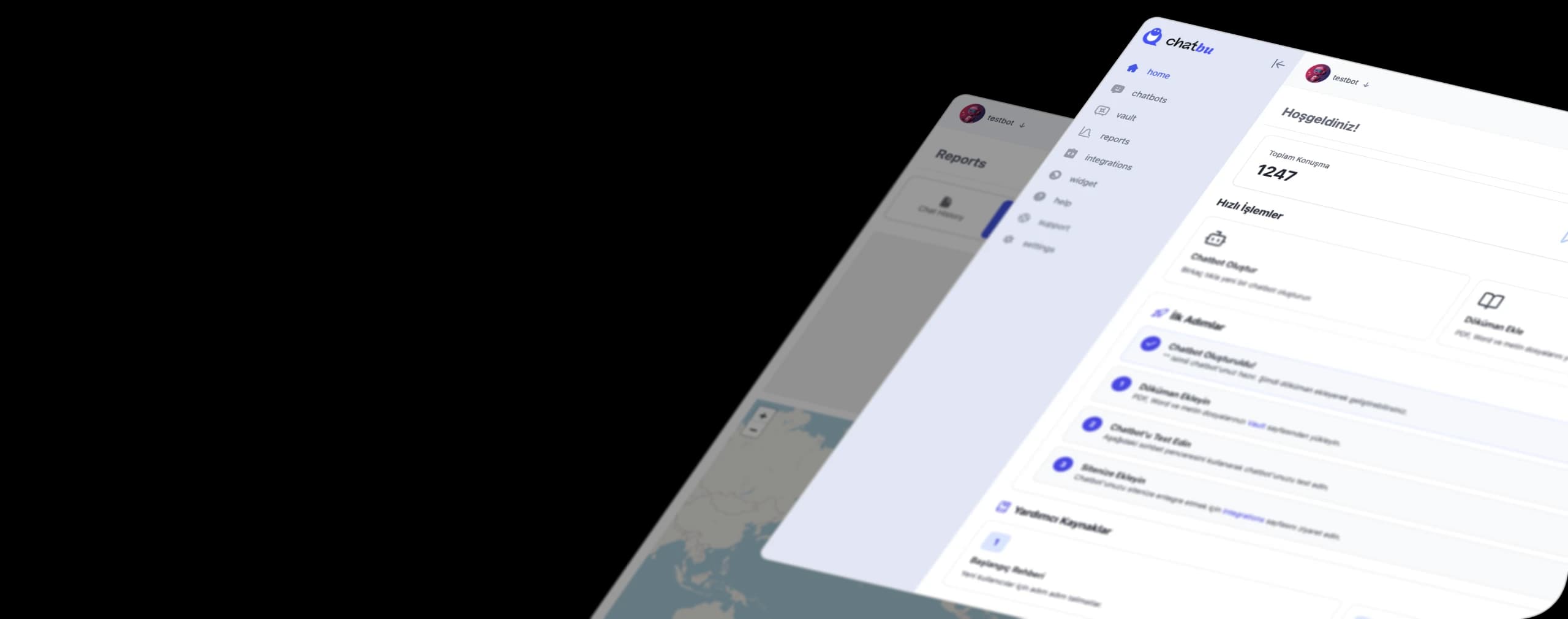
Chatbu is an AI-powered chatbot platform that connects your WhatsApp line through Meta integration and that you train on your own data. You can see the connection details on the WhatsApp integration features page. The general flow looks like this:
- Start your trial: Open a 14-day free trial at chatbu.io, no payment details required.
- Train the bot: Add your web pages along with your price list, menu or service documents. Leave out outdated content.
- Define your brand voice: Customize the bot's language, behavior and design to fit your business.
- Connect WhatsApp: Connect your WhatsApp line through Meta integration. Before setup, clarify with the Chatbu team how your existing number will be connected.
- Add other channels: If you like, connect Instagram DMs and your website to the same bot.
- Collect and follow up on leads: Capture the details of customers who leave a request right in the chat, monitor live chats from the mobile app and review chat history regularly.
Frequently Asked Questions
Is the WhatsApp Business API paid?
Yes. Meta charges per message for messages a business sends, based on category and recipient country. The software you use may charge a separate fee. Check Meta's pricing page for the current rules.
How do you get the WhatsApp Business API?
You can use the API directly through Meta's platform or through software that offers API access. For most small businesses, the most practical route is a chatbot or customer service tool that offers WhatsApp integration.
What is the WhatsApp Business app, and who is it enough for?
It's a free mobile app for small businesses. It's enough for businesses with manageable message volume that run everything from a single phone and don't need advanced automation.
Can you send bulk messages with the WhatsApp Business API?
Messages outside the window can only be sent using Meta-approved templates, and marketing messages require the recipient's consent. In Turkey, also check your legal consent obligations before sending commercial messages.
Reply to your WhatsApp messages 24/7. Try Chatbu free for 14 days, no payment details required. To get started, visit chatbu.io.