

The Chatbu mobile app lets you watch, live from your phone, the customer conversations your bot handles on your website, Instagram DM and WhatsApp, get notified when a customer joins a chat, and step into the conversation yourself when needed. Available for iOS and Android, the app tells you which conversation needs you even when you're away from your computer. While the bot handles routine questions, you focus only on the moments that need a human touch; we explored this balance in detail in our post on chatbots and live support.
Why should you track customer messages from your phone?
At small and midsize businesses, the owner is rarely at a desk. The restaurant owner is on the floor, the car dealer is out on the lot with a customer, the salon owner is in the middle of a treatment. Customer messages don't wait for those moments to pass.
A chatbot answers most of these messages for you. But some conversations hit the limits of what the bot can do: a special pricing request, a bulk order, a complaint, a personal request. In these moments, acting quickly is the difference between winning and losing the customer. The mobile app exists precisely so you don't miss them.
- Visibility on the go: You can see from your phone which conversations are underway and what the bot has answered.
- Timely intervention: When a notification comes in, you can join the conversation within minutes.
- A sense of control: When you're curious what the bot is telling a customer, you don't need to open a computer.
What does the Chatbu mobile app do?
Chatbu's website states that the mobile app is available on the App Store and Google Play. The app's core functions can be summarized as follows:
Function | What it gives you | When does it help? |
|---|---|---|
Live chat tracking | Real-time view of customer interactions | Campaign days, peak service hours |
Notifications | Alerts when a customer joins a chat | Any time you're away from your desk |
Joining the chat | Taking over the conversation from the bot and replying yourself | Special requests, complaints, bulk orders |
Interaction management | Managing customer conversations from your phone | After hours, travel, field visits |
The app is a tool for following conversations, not for managing the bot. For tasks such as training the bot, updating its knowledge base and adjusting behavior settings, you keep using the web dashboard.
How do the app and the dashboard work together?
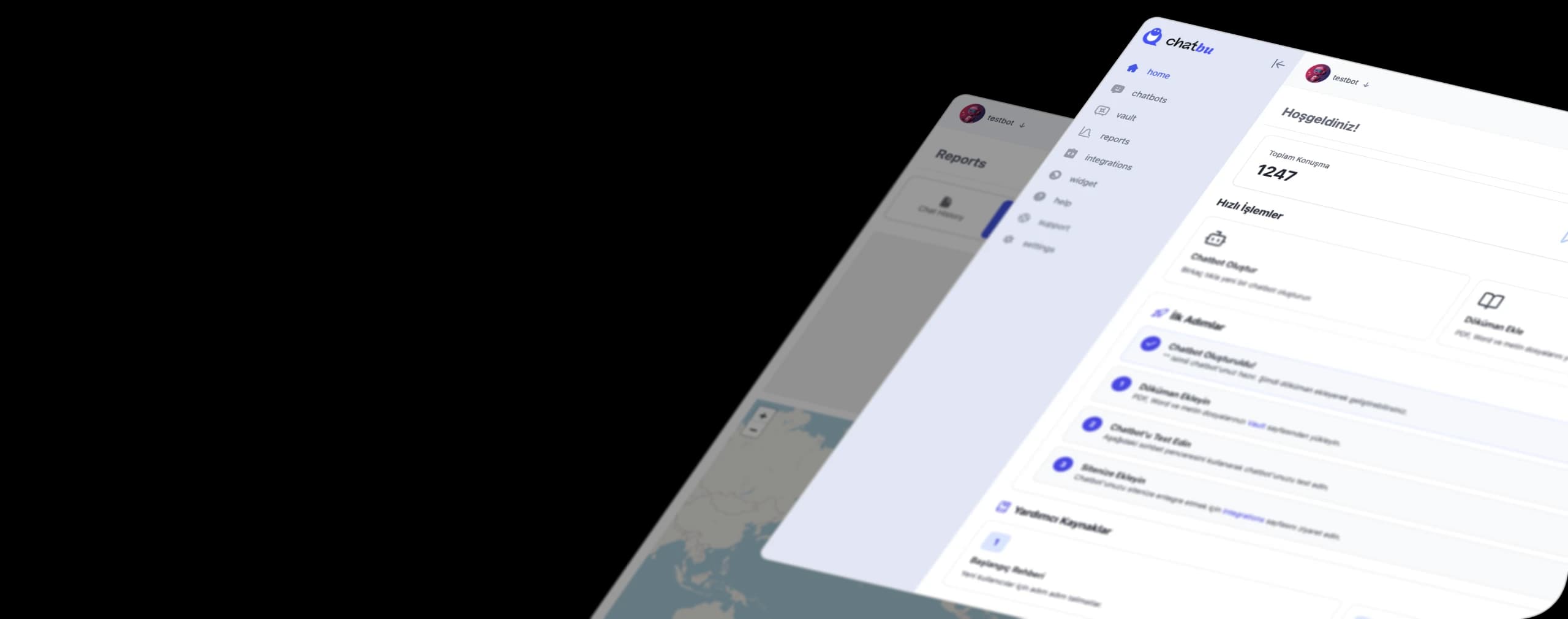
Thinking of Chatbu in two layers makes things easier. The web dashboard is the "prep" layer: it's where you train the bot on your own data, exclude unwanted content, set your brand voice and design, and connect your channels. You also use the dashboard to dig into chat history and run analysis.
The mobile app is the "stage" layer: it lets you be present while conversations unfold live. We covered the idea of managing conversations across all channels from one place in our post on managing messages from a single dashboard; the app is the pocket-sized extension of that setup.
Getting notified and joining the chat
When a notification arrives, the first thing to do is read the conversation. What did the bot tell the customer, what does the customer want, and what is expected of you? When you step in with that context, the customer doesn't have to repeat the same question.
Deciding in advance when you should take over a conversation makes notifications meaningful. For example, you step in for complaints, special pricing requests and large orders; the bot carries on with questions about opening hours or the menu. We covered when the bot should step aside and the right moments for handing a conversation over to a human in a separate post.
Briefly introducing yourself when you join is also a good habit: "Hi, I'm Ayşe, the owner, and I'll be taking care of your request." The customer now knows they're talking to a person and adjusts their expectations accordingly.
Which businesses need mobile tracking most?
Not every business needs to monitor its messages from a phone. But in some business models, the owner or manager is on their feet all day and can only see conversations on their phone.
Restaurants, cafes and dessert shops
DM and WhatsApp messages spike during service hours, while the team is busy on the floor. The bot handles questions about the menu, address and opening hours, and you step in only for conversations like large group reservations or special orders.
Beauty salons and clinics
Checking your phone during a treatment isn't possible. Opening the app between appointments to see whether any request is waiting makes sure you don't miss a booking opportunity.
Car dealerships and real estate offices
Sales meetings often happen in the field, next to a vehicle or in an apartment being shown. If a new customer writes in during that time, the notification lets you know, and you can reply as soon as the meeting ends.
Case study: a flood of DMs during peak hours
In the customer reviews on Chatbu's website, Ahmet Okşar from Antik Künefe explains that customers send a heavy volume of messages, especially through DMs, and that keeping up with them instantly during busy periods used to be impossible. According to the review, the Instagram DM integration largely solved this problem.
This picture is familiar to any dessert shop working through peak hours: it's hard to check your phone when the counter is packed. While the bot handles routine DMs, the app in the owner's pocket only draws attention to the conversations that truly need a look. That way, the rush never reaches the customer.
There's one more lesson in this example: the bot's job is to take on the workload, and the app's job is to preserve visibility. When the two work together, the owner neither drowns in messages nor loses track of what's going on. When you look at the chat history at the end of a busy day, you can clearly see which questions the bot handled for you and in which conversations your personal touch made a difference. That insight also shows you what to add to the bot's knowledge base before the next busy day.
How do you get started with the Chatbu mobile app?
- Open your account: Start the 14-day free trial at chatbu.io. No payment details required.
- Set up the bot in the web dashboard: Add your web pages and upload files such as menus, price lists or catalogs. Leave out-of-date content out of the training.
- Set your brand voice: Customize the bot's tone, behavior and look to fit your business.
- Connect your channels: Embed the bot on your website, and add Instagram DM and WhatsApp through the Meta integration.
- Download the app: Install the Chatbu app from the App Store or Google Play and sign in with your account.
- Allow notifications: Make sure Chatbu notifications are turned on in your phone's settings. With notifications off, you miss the app's most valuable feature.
- Set your takeover rule: Agree with your team on which conversations you'll handle and which ones the bot will continue.
- Watch closely in the first week: Follow live chats to see which questions the bot struggles with, and add the missing information to the knowledge base from the dashboard.
Good habits for mobile tracking
- Don't jump on every notification: If the bot is well trained, it will wrap up most conversations on its own. Read first, then step in if needed.
- Write quickly but carefully: A message typed on your phone still represents your brand. Keep short, ready-to-use templates for customer welcome messages and customer update messages.
- Set working-hour limits: The bot works 24/7; you don't have to. You can leave non-urgent requests that come in at night in the chat history to review in the morning.
- Share with your team: If you're not the only one following conversations, make it clear who checks in at what time.
If you'd like to see everything the bot can do beyond the app, check out the Chatbu features page. It summarizes every function, from training on your own data to lead capture.
Frequently Asked Questions
Which devices does the Chatbu mobile app run on?
Chatbu's website states that the app is available on the App Store and Google Play, which means you can use it on iOS and Android devices.
What's the difference between a live chat app and a chatbot?
A chatbot replies to customer messages automatically. Live chat tracking means a person monitors those conversations and joins in when needed. In Chatbu, the two work together: the bot replies, and you follow along from the mobile app and take over if needed.
What is a chatbot app?
A chatbot app is software that chats with customers automatically through a website or messaging channels. Chatbu lets you train this software on your own business data and follow conversations from your phone.
When do notifications come in?
Chatbu's homepage states that you get notified when customers join a chat. For notifications to come through, you need to allow app notifications in your phone's settings.
Can I train the bot from the mobile app?
The mobile app focuses on following conversations and joining chats. We recommend using the web dashboard to train the bot, update its knowledge base and connect channels.
Keep customer conversations in your pocket. Try Chatbu free for 14 days, no payment details required. To get started, visit chatbu.io.