
Your AI chatbot, live in 3 steps
Add your business information, decide how Chatbu should answer and connect it to the channels your customers use to reach you. Answer questions, collect contact details and hand conversations to your team when needed, all from one place.

Step 1: Tell Chatbu about your business
Add your website, your PDF, Word and Excel files or your ready-made Q&As. Menus, prices, services and opening hours come together in one knowledge base.
- Files, a website or a single link
- Company and branch details
- One-click re-crawl
- Menu and prices.pdfPDFReady
- Price list.xlsxExcelReady
- lavantabistro.comWebsite, all pagesReady
- How do I book a table?Quick answerReady
Step 2: Decide how it answers
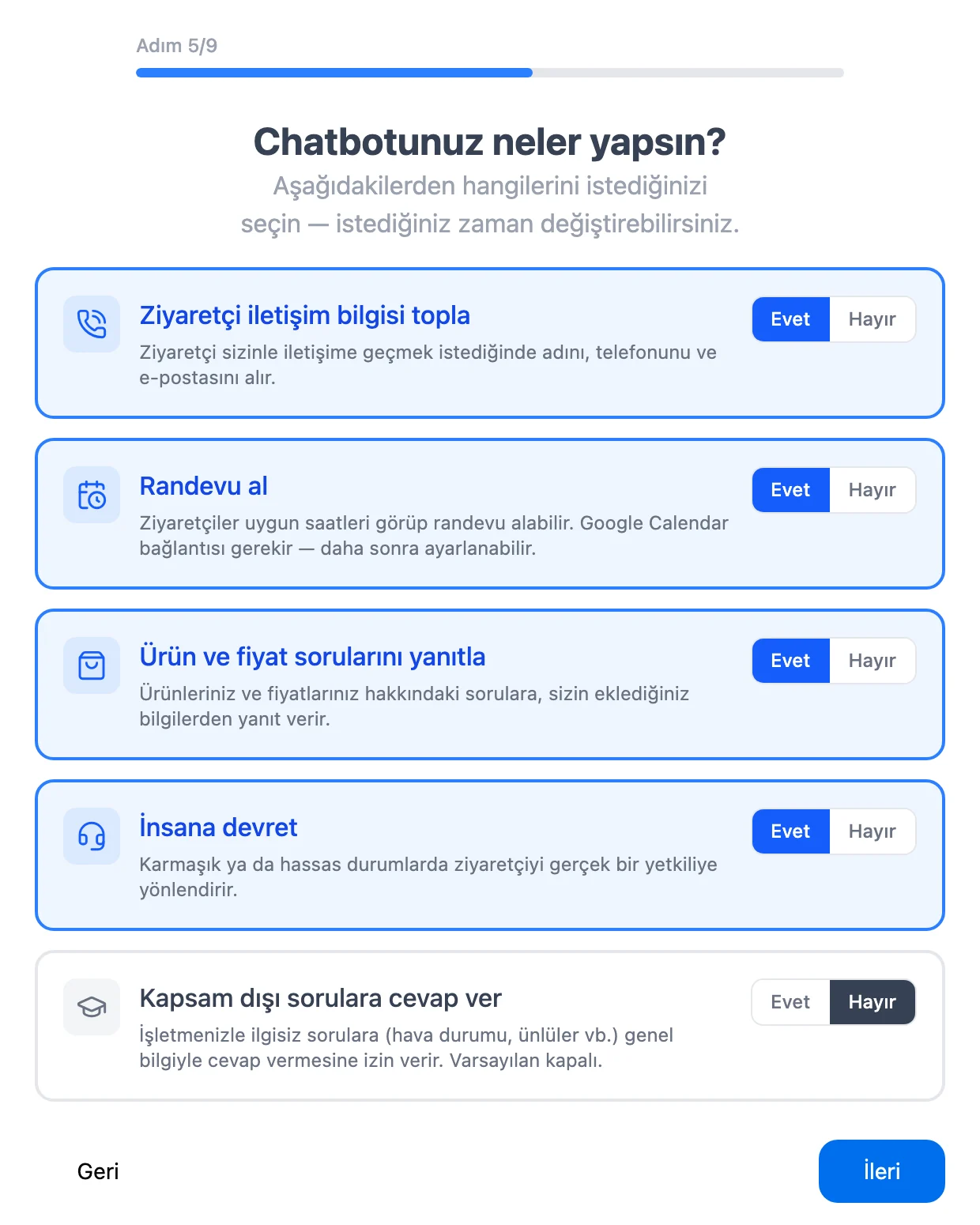
Answer a few questions in the setup wizard and Chatbu writes the instructions. You set the tone, the details it collects and when it hands the conversation to your team.
- Instruction builder and templates
- Lead capture flow
- Handoff rules
Step 3: Use it where your customers are
Add one line of code to your website and connect the WhatsApp, Instagram and Messenger accounts you want to use. Follow every conversation from the same inbox.
- Website code or a direct link
- WhatsApp, Instagram, Messenger
- Conversation and usage reports
Messaging channels
- WebsiteConnected
 WhatsAppConnected
 InstagramConnected
 MessengerConnected
Other connections
 Google ReviewsConnected
 Facebook commentsConnected
- Instagram commentsConnected
 Google CalendarConnected
 ShopifyConnected
What you need for your website, WhatsApp and Instagram
Setup time depends on where you connect Chatbu. If you get stuck on a step, our team finishes it with you, for free.
Website
All you need is to add one line of code to your site or share the chat link.
Time: Usually under an hour
WhatsApp
A Meta Business account and a phone number that can receive a verification code. You connect it on Meta's own screen.
Time: Depends on Meta's approval steps
Instagram and Messenger
A Facebook Page, and for Instagram a professional account linked to that Page. You connect both with a single Facebook login.
Time: A few minutes if your accounts are ready
Before you go live
See the first answers before your customers do
Before you add the code to your site or connect any channel, chat with your bot yourself in the panel. Ask a few questions your customers often ask, check prices and services, and fill in missing sources.
- Are current prices and services correct?
- How does it answer a question your sources don't cover?
- Does it collect contact details the way you want?
- Does it hand over to your team when you expect it to?
What time do you open on Sunday?
On Sundays we're open 10:00–23:00. Would you like to book a table?
Do you make birthday cakes?
I don't have information on that. I'm connecting you with our team; they'll get back to you shortly.
Missing information found: cake orders
Improve your bot after launch
Setup ends with the three steps above; real conversations are what make your bot better. See what customers ask, add what's missing and keep changing information up to date.
For examples close to your business, see our industry pages.

After the first conversations
Read the conversations
See how the bot answered in the Conversations screen, and note the questions it couldn't answer or handed to your team.
Whenever something is missing
Add the missing information
Add a quick answer for unanswered questions or upload the right file; edit the instructions when needed.
Whenever information changes
Keep it up to date
When prices, the menu or a campaign change, refresh the file or re-crawl your website in one click.

What happens under the hood?
- Understands the same question asked differently
- Whether a customer writes “How late are you open?” or “Can I come by at 9 pm?”, the bot sees that both ask about opening hours; it doesn't just match keywords.
- Keeps the context of the conversation
- Remembers what was said during the conversation and doesn't ask for the same thing twice. With visitor memory on, it recognises returning customers on WhatsApp, Instagram and Messenger; on your website it matches customers who share their phone or e-mail with their past conversations.
- You set the scope of its answers
- The bot answers from the content you add. When something isn't in your sources, it says so or hands the conversation to your team instead of guessing.
- Passes sales opportunities to you
- Saves customers who leave their contact details as leads, and you get an instant notification in the panel and the mobile app.

Let Chatbu run the first conversation
While your team focuses on customers and sales, AI answers the repetitive questions quickly and consistently.
If you get stuck, our team sets it up with you; this help is free in every plan.