

You've opened your contact list to announce a new menu, seasonal sale, or holiday promotion. You have hundreds of numbers, and typing them all out is impossible. So, how should you send the message to ensure it reaches everyone without risking your number?
Short answer: There are three official ways to send mass messages on WhatsApp: broadcast lists, the WhatsApp Business app, and verified template messages via the WhatsApp Business API. Broadcast lists and the app are free, but you can add a maximum of 256 people to a list, and the message will only reach people who have your number saved in their contacts. For larger audiences, the API is required; there, each message is paid for, and you must use a Meta-verified template. Whichever method you choose, you will need to obtain the recipient's prior permission in Turkey.
This guide covers the steps, limitations, fees, and the permission/CMS issue—which most guides gloss over—in order.
3 ways to send mass messages on WhatsApp
The difference between the three methods lies in how many people you can reach and how much control you have.
| Release list | WhatsApp Business app | WhatsApp Business API
Cost | Free | Free | Meta fee per message + provider fee
People per list | Maximum 256 | Maximum 256 | Subject to Meta's daily messaging limit
Who receives it? | Those who have saved your number | Those who have saved your number | Also those who haven't saved it, provided they give permission.
Personalization / Reporting | None | Limited | Variable template, delivery report
Suitable for: | Small and intimate announcements | Small businesses | Large customer base, campaigns
The message list in regular WhatsApp and the list in the Business app essentially work on the same principle. The difference with the Business app lies in its business tools such as catalogs, tags, and quick replies. We explained the difference between the Business app and the API in detail in a separate article; here we are focusing on bulk sending.
In search results, you'll also see tools promising Excel macros, Chrome extensions, and "bulk messaging programs." These are not official WhatsApp channels; they are considered unauthorized automation and carry the risk of your number being restricted or deactivated. Do not entrust your main number to these tools for this campaign.
Message sharing list and group messaging: step by step
A broadcast list sends the same message to many people individually in separate chats. Recipients don't see each other, and replies only come to you; that's what distinguishes it from a group.
On Android:
- Open WhatsApp, tap the three dots in the upper right corner.
- Select 'New bulk message '.
- Select the people you want to add to the list.
- Tap the checkmark and create the list.
- Write and send your message.
On iPhone:
- In the Chats tab, go to Broadcast Lists at the top.
- Tap 'New List ', select the contacts.
- Press 'Create', type the message and send it.
In the WhatsApp Business app, the menu path varies depending on the phone; on Android, it's the three dots, and on iPhone, you can find it under Settings > Business Tools . Once you've set up a list, you can reopen it and send new messages.
"Are bulk messages sent individually?" The answer is yes: each recipient sees the message as if it were addressed only to them . This is a good thing; there's no noise like in large groups. But there's also no automatic personalization, scheduling, or read receipts like with {name}.
WhatsApp bulk message limit: how many people can it reach, and who are the recipients?
A broadcast list can contain a maximum of 256 people , and the message will only be delivered to those who have your number saved in their contacts . These two rules are the limits for both WhatsApp and the Business app. Many sources give the same number , but WhatsApp may update these limits. We obtained this number from secondary sources because the WhatsApp Help Center's broadcast lists page was not open at the time of writing . We recommend checking the Help Center once before launching a campaign.
In practical terms, this means:
- If you have 1,000 customers, you need to create at least four lists and send a separate email to each of them.
- If the customer hasn't saved your contact information, the message won't go to them, even if you see "sent." This is one of the most common complaints about "bulk messages not being sent."
- The solution is simple: at the checkout, on the website, and on Instagram, display the message "Save this number to stay informed about campaigns."
For campaigns exceeding 256 and needing to reach unsaved users, the only official way is via the API. The API also has its own limit: a new business portfolio can send messages to 250 unique users in a 24-hour period. If you verify your business or deliver messages to 2,000 unique numbers in 30 days using high-quality templates, the limit increases to 2,000. After that, it automatically increases to 10,000, 100,000, and unlimited, depending on quality and usage.
Are bulk messages charged on WhatsApp Business?
The publishing list and Business app are free. However, each marketing message delivered via the API is paid. The answer to the question "Is WhatsApp Business paid?" depends on which product you're referring to.
According to Meta's pricing page , pricing for the API works as follows:
- From July 2025 onwards, fees are charged per message .
- The fee is only charged for delivered messages; there is no payment for messages sent but not delivered.
- The price varies depending on the message category (marketing, benefit, authentication, service) and the recipient's country code .
- Messages you receive from customers are free.
- The service responses you provide within the 24-hour window that opens when a customer contacts you are either free or subject to a free quota, according to Meta's rules.
Your campaign falls under the "marketing" category: promotional templates such as discounts, new products, and cart reminders are in this group. You can see the current unit price for Turkey by selecting it from Meta's rate card . We are not writing the numbers here as prices are updated periodically.
When calculating the total cost, don't forget two items: Meta's messaging fee and the monthly fee for the software or partner you'll use to connect to the API. Set your budget like this: campaign message count × Meta marketing fee + provider subscription.
Bulk messaging via API: template messages and approval process.
In the API, you can only send Meta-approved template messages before the customer contacts you, i.e., outside of the 24-hour window . Free text is only available in the window that opens after the customer contacts you.
The process goes like this:
- Obtain API access. Connect your number through a WhatsApp Business Platform partner (BSP) or software. Verifying your Meta Business account will quickly increase your limit.
- Write the template. Select the marketing category, type the text; add variables in the format (name, product, coupon code, etc.) and enter example values for each variable.
{{1}} - Submit for approval. Meta's template review process combines automated and manual checks; a decision can be made within 24 hours.
- If it's rejected, edit it. Incomplete examples, incorrect variable formatting, duplicate templates, and spam-like content are common reasons for rejection. You can correct and resubmit it, or appeal.
- Upload and send the list. Segment your authorized contacts and start the delivery, then monitor delivery and read results.
One more thing: WhatsApp can set its own limits on how many marketing templates a person can receive in a short period of time. According to Meta, this per-person marketing limit varies depending on the person's last read rate and the volume of their inbox. Repeatedly trying to deliver an undelivered message will also cause problems; Meta recommends waiting at least 24 hours.
Rules to avoid being blocked: permission, CMS, and content.
The biggest reason your number gets disconnected isn't a technical issue, but unauthorized and irrelevant messages. People complain or block you, which lowers the quality of service. In Turkey, there's also a legal aspect to this.
Commercial communication permission and IYS (Information and Communication System)
In Turkey, the framework for commercial electronic communications is defined by Law No. 6563 on the Regulation of Electronic Commerce. The basic rule is not to send commercial electronic communications without the recipient's prior consent . Recipients can refuse at any time without giving a reason .
The Message Management System (MMS) is the national platform where these permissions and complaint processes are managed. MMS was established to store and manage the consents obtained by service providers sending commercial communications via calls, messages, and emails . Violations result in administrative fines, which are updated annually according to the revaluation rate .
Opinions vary on how WhatsApp should be evaluated in this context. Therefore, the safest approach is this:
- Obtain separate and explicit consent for WhatsApp (such as "I want to receive campaign messages from WhatsApp," either in a box that is not pre-checked or with a clear "yes" message).
- Record the date and source of the approval ; you should be able to prove it if necessary.
- If you are registered with IYS (Electronic Leave Management System), manage your leave records in accordance with the process there.
- If your audience is large or your industry is sensitive, consult a legal advisor. This article is not legal advice.
7 rules to avoid getting blocked
- Only send messages to authorized individuals. Do not send messages to numbers that have been purchased, compiled from Excel spreadsheets, or added simply because they were already in the contact list.
- First, introduce yourself. Include your business name in the first sentence. Don't forget to register your number in the publication list.
- Include an opt-out option in every message. A phrase like "Type STOP if you don't want to receive this" reduces the risk of complaints and blocking. Immediately remove anyone who types STOP from your list.
- Keep the frequency low. Once a week or every two weeks is sufficient for most businesses. Meta can already limit the number of marketing messages a person can receive.
- Segment your customers. Don't send a hair salon discount offer to a cafe customer. Create separate lists based on location, interests, and past purchases.
- Proceed gradually. A new API account starts with 250 unique users. Instead of overloading it with thousands of users from day one, start with highly engaged customers and maintain your quality score.
- Don't stray from the official path. Extensions, WhatsApp Web bots, and unregistered number scanners may seem appealing in the short term, but your number will pay the price.
After sending, look for these signs: a large number of blocks or complaints, your message marking as "Delivered" but not read, and a drop in your template quality score. If you see any of these, stop sending and review your list and text.
Examples of campaign messages by sector
Adapt the following text to your own business. In API templates, you replace square brackets with variables like , . Specify who you are and the exit path in each message.{{1}}{{2}}
1. Restaurant/Cafe: "Hello, we're the [Cafe Name] team. Our new fall menu launched this week. There's a 20% discount on all hot drinks weekdays between 12:00 and 15:00. You can reply to this message to make a reservation. If you don't want notifications, type STOP." For more ideas, check out these WhatsApp message examples for restaurants and cafes .
2. Beauty Salon: "Hello [Name], this is from [Salon Name]. This month, new customers get a 15% discount on their first session with our skincare packages. To check available appointment times, simply type 'appointment'. If you don't want to book, type 'STOP'."
3. Clothing / e-commerce: "Hello [Name], [Brand]'s end-of-season sale has started. Up to 30% off selected items for 3 days. Campaign page: [link]. You can write to this message to inquire about size or stock. To exit, type STOP."
4. Automotive dealership: "Hello [Name], a new model campaign has started at [Dealer Name]. Selected vehicles offer special interest rate advantages and free insurance this month. For price and equipment information, type 'info'. If you don't want to buy, type 'STOP'."
5. Course/Training: "Hello [Name], [Institution Name] new term registrations are open. Early registration offers a 10% discount for the first two months. Reply to this message for program, time and price information. To unsubscribe, type STOP."
Notice that each example calls for a single action and invites the recipient to respond . This is a good strategy because a 24-hour service window opens when the customer writes. But ultimately, a problem arises: who will handle the flood of responses?

Avoid missing any incoming responses: distribute the responses to the bot and the team.
Sending bulk messages is half the battle. It's normal to receive a barrage of questions like "What's the price?", "Is it in stock?", and "Are you open on weekends?" within the first hour of a campaign launching. Every delayed response means a lost customer.
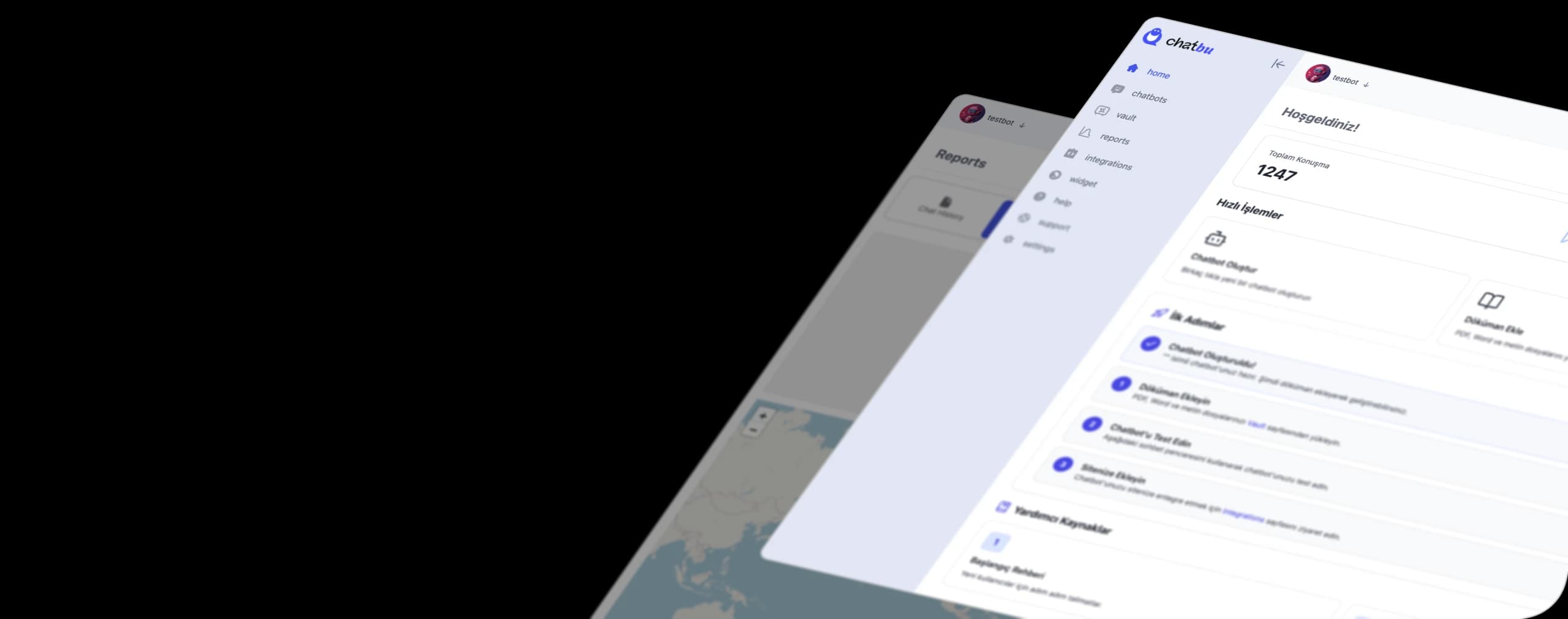
Chatbu doesn't send mass messages; that's the job of one of the three methods above. Chatbu's role begins after the campaign : it connects your WhatsApp Business account and answers incoming questions in seconds using your own data such as your menu, price list, FAQs, and website. If needed, it hands over the entire conversation history to your team.
A comment from an automotive dealership on Chatbu's homepage perfectly illustrates this scenario: when a new car campaign is shared, hundreds of questions come in daily; responding quickly to customers asking about car price, equipment package, and financing options is critical to closing the sale. In the comment on the homepage , the dealership states that with Instagram and WhatsApp integration, they can respond to every message within seconds, day and night.
You can set up your campaign flow as follows:
- Send: Deliver the campaign message to your authorized audience via the publishing list, Business app, or API.
- Answer recurring questions like "price," "stock," "address," and "appointment" with Chatbu's own data.
- Delegate: let your team handle conversations that require human interaction, such as negotiation, special requests, or complaints.
- Learn: see what customers ask most often and write your next campaign text accordingly. You can also look into ways to generate leads from conversations.
Let Chatbu answer the hundreds of questions that come in after the campaign. Start with a 14-day free trial , no credit card required; train your chatbot with your menu, price list, and website, and be ready to answer questions in the next campaign.
Frequently Asked Questions
How to send bulk messages on WhatsApp Business?
To open Broadcast Lists in the WhatsApp Business app, go to the three-dot menu on Android or Settings > Business Tools on iPhone, select New List, add contacts, and send the message. A maximum of 256 people can be added to each list, and the message will only be sent to people who have saved your number.
How to send bulk messages on iPhone?
In WhatsApp, go to Broadcast Lists at the top of the Chats tab, tap New List, select the contacts, and press Create. Then open the list, type the message, and send it.
Does WhatsApp charge for sending bulk messages?
The publishing list and the WhatsApp Business application are free. However, with the WhatsApp Business API, Meta charges for each marketing message delivered based on category and recipient country; there may also be fees charged by the software or partner you are using.
Are WhatsApp bulk messages sent one by one?
Yes. In the broadcast list, the message appears as a separate one-on-one chat for each recipient. Recipients don't see each other; replies only go to you.
Why aren't WhatsApp bulk messages sending?
The most common reason is that the recipient hasn't saved your number in their contacts; the message won't be delivered to the mailing list in this case. Other reasons include a 256-person limit, the recipient blocking you, and the template not being approved in the API or the per-person marketing limit being reached.
Do I need to use an app or program to send bulk messages on WhatsApp?
The official way to use the WhatsApp Business API is through a partner or software. Unauthorized tools like Excel macros and browser extensions carry the risk of your number being restricted or deactivated, so they are not recommended.