

RAG (Retrieval-Augmented Generation) is a method that allows an artificial intelligence to find relevant information in your documents before writing a response and respond based on that information. Instead of reciting from memory, the model reads from the source material in front of it. Thus, your chatbot responds based on your own content rather than making guesses.
Think of it like an open-book exam . In a closed-book exam, the student writes down what comes to mind, sometimes they remember incompletely, sometimes they confidently write the wrong thing. In an open-book exam, they first find the correct page, then deduce the answer from that page. RAG gives the AI this "book"—your price list, return policy, product catalog.
This article explains what RAG is, why it emerged, how it works in three steps, and where it can be useful in your business, all without requiring a technical background. Finally, we look at how you can use RAG without writing any code.
What is RAG? A one-sentence definition.
What does RAG mean? The abbreviation comes from the English phrase "Retrieval-Augmented Generation": retrieval, augmented, generation. In other words, it's an approach where artificial intelligence first retrieves relevant information and then produces a response enriched with that information.
The term comes from the academic world. The paper that named the method is Patrick Lewis and his team's 2020 study , Retrieval-Augmented Generation for Knowledge-Intensive NLP Tasks . The researchers reported that when they combined the information within the language model (parametric memory) with an external information source (non-parametric memory), the model produced more specific and factual text.
Today, this idea underlies almost every application that says, "Let AI respond to documents from company X." So RAG is not a model in the AI world, but a way of working .
Why are large language models insufficient on their own? The problem of hallucinations.
A Large Language Model (LLM) is an artificial intelligence model trained on very large amounts of text, generating written text by predicting the next word in a sentence. Tools like ChatGPT are based on these models. They excel in grammar, general knowledge, and reasoning. However, when it comes to your business, they have three serious limitations:
- They don't know you. The model has never seen your price list for this month, your branch opening hours, or your return policy.
- The information is frozen at a certain date. According to AWS, LLM training data is static and has an expiration date. Therefore, while an up-to-date answer is expected, they may provide outdated or general information.
- Instead of admitting they don't know, they can make things up. This is called AI hallucination : the model produces a fluent and confident, but incorrect, response.
AWS likens this situation to an overly enthusiastic new employee who answers every question with absolute confidence. If, in a workplace, this new employee tells a customer, "Yes, there's a free return policy within 30 days," but the actual return period is only 14 days, you're the one who pays the price.
This is precisely the problem that RAG solves. As Microsoft's definition of RAG states, basing the model's output on the actual context it's presented reduces the likelihood of generating seemingly plausible but incorrect information. Note: we say "reduces," not "eliminates." We'll return to this point in the "limitations" section.
How RAG works: fetch, enrich, produce
RAG consists of three steps. When a customer asks a question, the following happens in the background:
- Retrieval: The system searches your knowledge base for the most relevant document fragments to answer your query.
- Augmentation: The discovered components are added to the prompt given to the model along with the customer's question. For example, "Answer this question by looking at these resources."
- Generation: The large language model writes the response in natural language based on the resources available to it.

Flowchart note: You can read the flow as follows: Customer question → Search (retrieve) in the knowledge base → Question + found document fragments are combined (enriched) → Language model writes (generates) the response → Customer sees the response.
Behind the scenes: fragmentation and vectors
"Searching the knowledge base" sounds simple, but it's different from keyword searching. First, your documents are broken down into smaller chunks. Each chunk is converted into a vector representing its meaning with numbers; this is called embedding, and the results are stored in a vector database. The customer's question is similarly converted into numbers, and the chunks with the closest meaning are found.
AWS's example illustrates this well: When an employee asks, "How much annual leave do I have?", the system finds and retrieves the relevant leave policy document. Even if the words aren't exactly the same, the meaning matches, so it finds the correct part. For example, when a customer asks, "When will I get my refund?", your document might contain the sentence, "The refund will be credited to your account within 5 business days."
You don't have to set all of this up yourself. These details are handled by a RAG platform for you.
The difference between RAG and fine-tuning
There are two common ways to train AI with your own data: RAG and fine-tuning . Fine-tuning involves retraining a pre-existing model with your own samples to modify its behavior. The two aren't competing; they serve different purposes.
Returning to our analogy: RAG is like allowing the student to open their book during the exam. Fine-tuning, on the other hand, is sending the student to a private tutoring course for weeks. The course changes the student's writing style and habits, but it doesn't guarantee what they'll write in the book on exam day.
Criteria | RAG | Fine-tuning
Key idea | Searches documentation before responding | Retrains the model itself with new examples
Updating the information | You modify the document, the response changes immediately | A new training round is needed .
Citation | It is possible to track which document the answer is from | The source of the information is unclear
Installation cost | Low, document upload is sufficient | High, requires prepared training data and a technical team
The most suitable job | Information questions such as price, policy, catalog, FAQ | A specific writing tone, format, or specialized behavior
Risk of misinformation | Lower because it depends on the source | The model may still fit
AWS also describes RAG as a cost-effective approach that extends the model to specific domains or the organization's internal knowledge base without the need to retrain the model. For a business's need for "my customers are asking about price, delivery, and returns," RAG is often the right starting point. Both can be used together, but choosing to fine-tune as a first step is usually an unnecessarily expensive approach.
RAG usage examples for businesses
Theory is sufficient. Here are five examples of RAG's application in everyday business. They all have one thing in common: the answer is written in your document, and the AI finds it and expresses it in a coherent sentence.
1. Menu: Restaurants and Cafes
"Do you have a gluten-free option?", "Do you have vegan desserts?", "What time is breakfast open?" These are questions already answered in your menu PDF. A RAG-enabled assistant reads your menu and answers allergen and ingredient questions. You can also check out our WhatsApp auto-message examples for setting up automated messages in restaurants and cafes.
2. Price list
"How much is hair coloring?", "What is the price of the corporate package?" When you upload the price list, the assistant finds the correct line. When the price changes, you simply update the file; the model is not retrained. This is RAG's most tangible advantage.
3. Return and exchange policy
When a customer asks, "Is there a return policy for this promotional item?", the riskiest answer is the one the model comes up with on its own. With RAG, the answer comes from your policy text; deadlines, exceptions, and conditions are conveyed exactly as you wrote them.
4. Product catalog
"Do you have this jacket in size M, and is it waterproof?" The technical specifications, measurements, and usage information are in the catalog. The assistant finds this information and summarizes it for the customer. Even if the catalog contains many products, only a part of the relevant product is brought; the assistant doesn't need to remember all the models.
5. Internal documents
RAG works not only on the customer side but also within the team. A new employee might ask, "How do I fill out an expense form?" or "What steps do we follow for a customer complaint?" The answer comes from the company handbook and procedural documents. You don't have to search for information on Slack or in a colleague's memory.
If you're unsure where to start, look at the 10 most frequently asked questions your customers ask. Most of the answers are probably already in a document you have.
How to build a good knowledge base?
In RAG, the magic lies not in the model, but in the knowledge base . The knowledge base is the sum of all the documents the assistant consults. If you put in garbage, you get garbage out. The following six tips significantly improve the outcome:
- Start with customer questions. Review incoming messages, emails, and phone notes and list the most frequent questions. Organize your documents to answer these questions.
- One topic, one place. If the return conditions are written differently in three different documents, even the assistant will be confused. Have a single, up-to-date source for each topic.
- Write clearly and concisely. Instead of writing "Our products can be exchanged under certain conditions," write "Products with the tags intact can be exchanged within 14 days." Clear sentences produce clear answers.
- Use headings. A well-headed document is much easier to break down and search through than a wall of text. Make sure the heading of each section is clear.
- Convert tables to text or keep them organized. Complex tables with merged cells and scanned image PDFs are difficult to read. Use text-readable files whenever possible.
- Include a date and validity period. Statements like "The campaign is valid until June 30th" set a clear boundary for both the customer and the assistant.
Here's a little test suggestion: After preparing the knowledge base, ask your assistant 20 questions that clients actually ask. Every question you answer incorrectly or incompletely will indicate a gap in your documentation.

Limitations and precautions regarding RAG.
RAG is a powerful method, but it's not magic. Its main limitations are:
Outdated document. The assistant is reading the book; if the book is old, the answer will be old too. If last year's price list is still in the knowledge base, the assistant will quote that price, even "based on the source." Keeping your documents up-to-date is RAG's biggest operational responsibility. Connect campaign and price changes to a workflow: When the price is updated, the knowledge base should also be updated. AWS makes the same point: If external data becomes outdated, documents and embedded representations also need to be updated.
Conflicting information. If two documents say different things on the same topic, the assistant will choose one, or mix them up. If your website says "return period 14 days" but the PDF brochure says "30 days," the problem isn't with the AI, it's with your sources. Scanning and eliminating inconsistencies before uploading the knowledge base is the cheapest preventative measure.
Missed search. The retrieval step may not always find the correct part. If the question is vague or the information is written haphazardly in the document, the model may respond with incomplete context. Therefore, it is important to write documents in an organized manner and test with practice questions.
Information not in the document. If the answer isn't in the knowledge base, a well-designed assistant should say, "I don't know that, let me refer you to our team." This behavior needs to be supported by instructions and the option to delegate to a human.
Sensitive information. Anything you put in the knowledge base could, in theory, be shared with the client. Don't upload documents like internal cost tables, which aren't publicly available to the client, to a publicly accessible assistant's knowledge base.
In summary: RAG reduces the risk of hallucinations, but accuracy still depends on the quality of your content. Knowing this is the most honest way to set expectations correctly.
RAG without writing code: document-based chatbot
Now, let's get to the most practical question: Does setting this up require a team of programmers, a vector database, and weeks of development? If you want to build your own RAG pipeline from scratch, yes, it's serious engineering work. But as a business owner, your goal isn't to build the RAG, it's to get your chatbot to give the right answers .
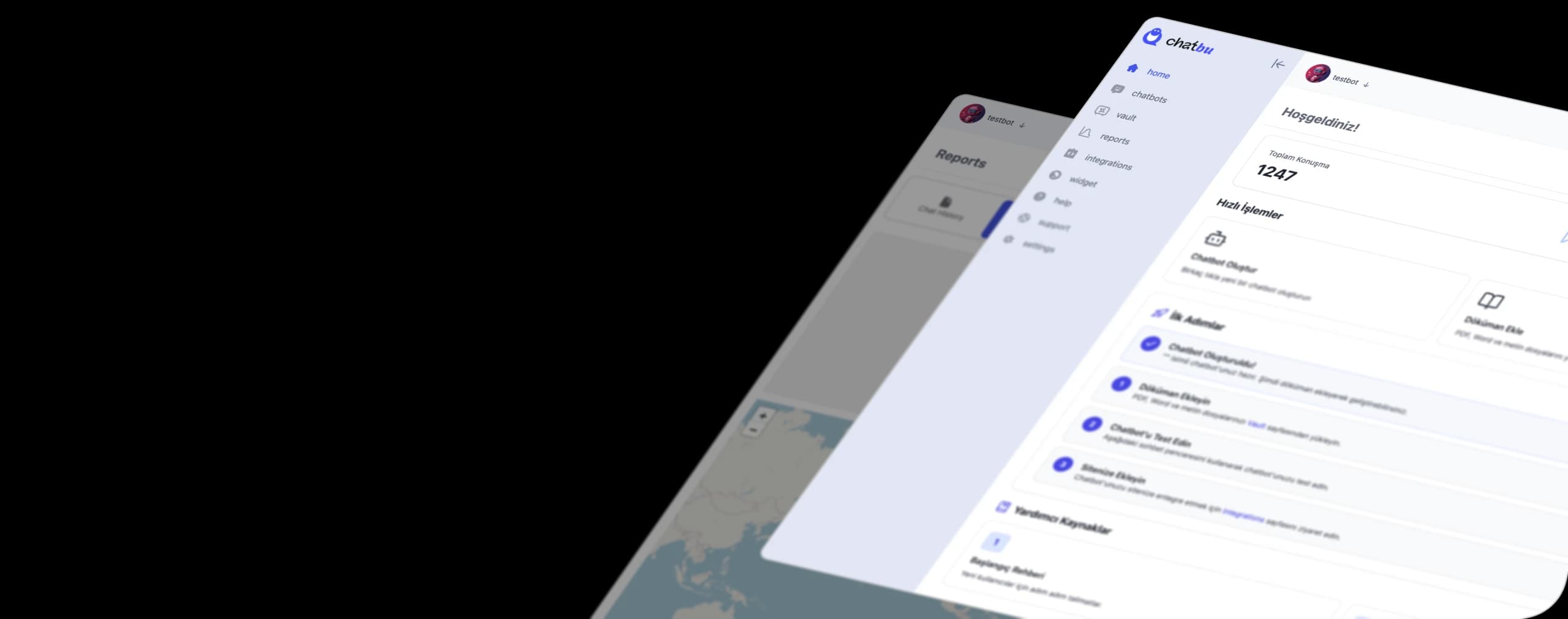
This is where Chatbu comes in. It's an AI chatbot platform that you can use without writing any code, creating a knowledge base from your documents and providing answers based on that content. In practice, it works like this:
- You can train your chatbot with PDFs, Word documents, plain text, and website URLs . The features page also includes Excel and CSV upload options, as well as pre-programmed question and answer input.
- Your chatbot will respond in your brand's language and based on your content after training using your own data .
- If your price or promotion changes, simply edit the content and reprocess your files; the bot will then start responding with the new information.
- You can connect a single chatbot to your website and to channels like WhatsApp, Instagram, and Messenger. The bot can understand the language the visitor is typing and respond in that language.
- They can delegate any conversation they can't answer, or that requires human interaction, to your team.
If you're curious about the process step by step, you can see it on our "How Chatbots Work" page. If you want to learn the basic logic of chatbots from the beginning, our "How Chatbots Work" article is a good starting point.
Let's be frank: Chatbu doesn't promise a magical, "error-free" assistant. The principles we discussed above apply here as well. The more up-to-date, clear, and consistent your knowledge base, the better your assistant will be. What Chatbu offers is eliminating the need to set up that connection, allowing you to focus solely on the content .
Upload your documents and have an assistant that speaks to your data in minutes. Try Chatbu for free and train your first chatbot with your menu, price list, or return policy.
Frequently Asked Questions
What does RAG mean in English?
RAG is an abbreviation for "Retrieval-Augmented Generation." In Turkish, it translates to "retrieval-enriched production" or "retrieval-supported production": Artificial intelligence first finds the relevant information, then generates a response using that information.
Does RAG completely prevent hallucinations?
No, but it significantly reduces the risk. The model responds based on the documents provided, rather than its own memory. However, if the documents are outdated, contradictory, or the search fails to find the correct part, an incorrect answer may be given. Therefore, it is essential that the knowledge base is up-to-date and consistent.
What is the difference between RAG and fine-tuning?
RAG searches your documentation before responding without modifying the model; the response changes immediately when you update the document. Fine-tuning, on the other hand, retrains the model itself with new examples; it is more expensive and requires a new training round for each update. RAG is generally more suitable for informational questions such as pricing, policy, and catalogs.
Do I need to write code to use RAG?
If you're building your own RAG system from scratch, yes, you'll need a vector database and software development. However, with ready-made platforms like Chatbu, you can create a document-based chatbot without writing code by uploading your documents (PDF, Word, text) or your website URL.
What components make up the RAG architecture?
Essentially, there are three components: a knowledge base (vector database) where documents are broken down and stored as vectors, a retrieval component that finds the most relevant parts for the query, and a large language model that writes the response using the found information. Between these components lies an enrichment step that integrates the found content with the query.
What is the Large Language Model (LLM)?
The Big Language Model is an AI model trained with very large amounts of text that generates text by predicting the next word. It excels at tasks like answering questions, translating, and summarizing, but it doesn't know your specific data, and its knowledge is fixed in its training history.